AutoCount How-To
guide
AutoCount: SST: How to change SST Purchase tax code posting account
AutoCount:如何更改 SST 采购税务代码的过账科目
Credential editorial desk
13 Nov 2026
2 min read

English article
Question
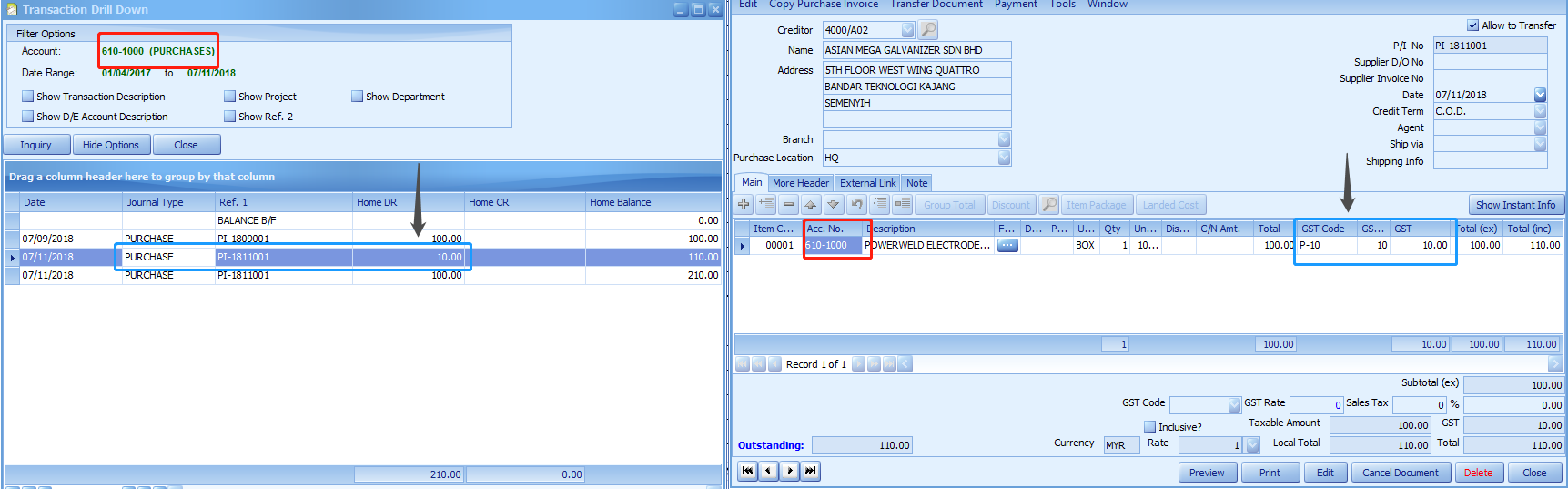
I found that when I use P-10 tax code, the posting account always follow the transaction account. What can I do if I want it to post the tax amount to SST Expenses account?
Version
1.9 / 2.0
Answer
By default, for Purchase tax code, system will use adopt the transaction account number for posting.
If you wish to change, you need to:
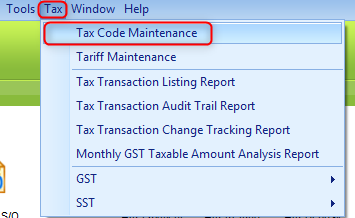
- Go to Tax > Tax Code Maintenance.
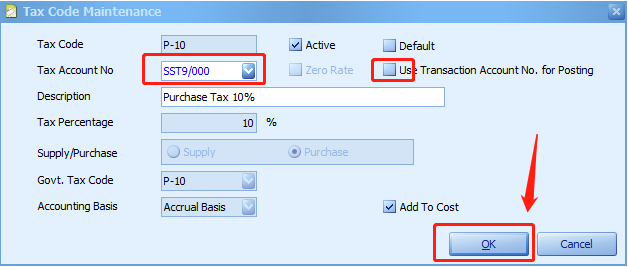
- Double click the tax code P-10, and uncheck the checkbox of “Use Transaction Account No. for Posting” and assign your Tax Account No. in the field of SST Expenses Account, then click on OK.
- Because you have already set to use a spcific tax code in the transaction, the following message will be prompted. Click on Yes to confirm the changes and you have to go back to your documents and do repost (make some changes and Save the document).

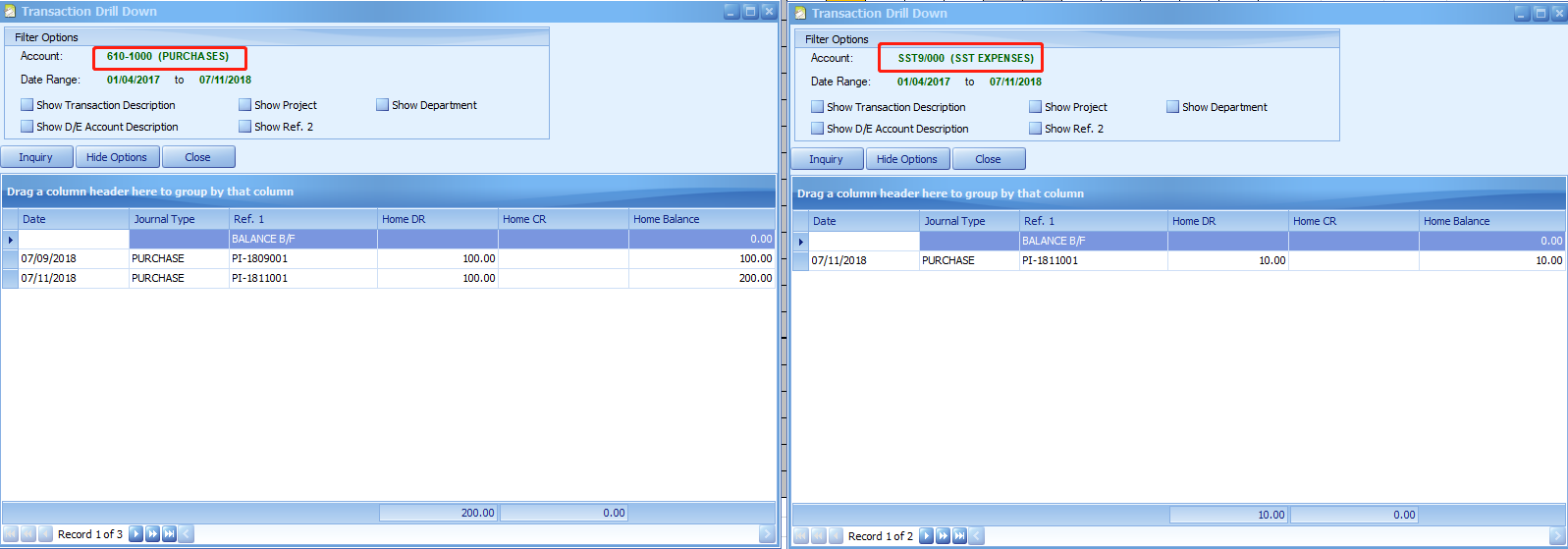
- After repost the transaction, the tax amount will be posted to SST Expenses account.
Source: AutoCount Wiki · By: Cheryl 181107, Lay Swan 190123, P190123
ZH
中文内容
问题
我发现当我使用 P-10 税务代码时,过账科目总是跟随交易科目。如果我希望把税额过账到 SST Expenses(SST 费用)科目,该怎么办?
版本
1.9 / 2.0
解答
默认情况下,采购税务代码(Purchase tax code)会采用交易科目号码(transaction account number)进行过账。
如果您想更改,需要:
- 前往 Tax(税务) > Tax Code Maintenance(税务代码维护)。
- 双击税务代码 P-10,取消勾选“Use Transaction Account No. for Posting(使用交易科目号码过账)”复选框,并在 SST Expenses Account(SST 费用科目)字段中指定您的税务科目号码,然后点击 OK(确定)。
- 由于您已在交易中设置为使用特定的税务代码,系统将提示以下信息。点击 Yes(是)确认更改,然后您必须回到您的单据并进行重新过账(repost,做一些更改并保存单据)。
- 重新过账该交易后,税额将会过账到 SST Expenses(SST 费用)科目。
来源:AutoCount 官方 Wiki · 作者:Cheryl 181107, Lay Swan 190123, P190123
MyTax Info
More practical e-Invoice updates