AutoCount: General Maintenance: What is withholding tax and how to setup withholding tax in AutoCount?
AutoCount:什么是预扣税及如何设置预扣税

English article
Question
What is withholding tax and how-to setup withholding tax in AutoCount?
Version
1.8 / 1.9 / 2.0
Answer
Withholding tax is an amount withheld by the party making payment (payer) on income earned by a non-resident (payee) and then the tax will be paid to the Inland Revenue Board of Malaysia.
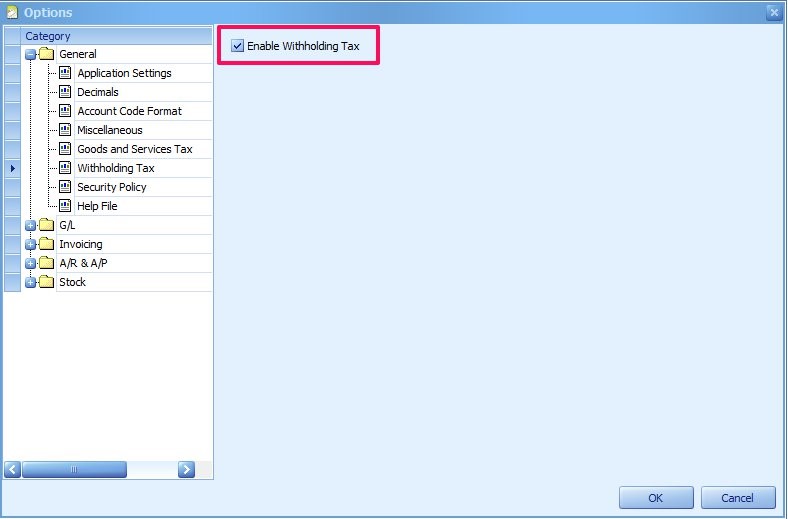
You can go to Tools > options > general > withholding tax; check the checkbox of Enable Withholding Tax.
The Withholding Tax Codes are divided into two types which are Receipt type and Payment type. After maintained the tax codes for withholding tax, when creating Payments or Receipts, you will see the columns of 'withholding tax' and 'withholding tax details' at the details portion. To open the Withholding Tax Document windows, you may either:
- double click on the value in the column of Withholding Tax, OR
- click on the ellipsis button under the column of Withholding Tax Detail (this column can be dragged out from Column Chooser).
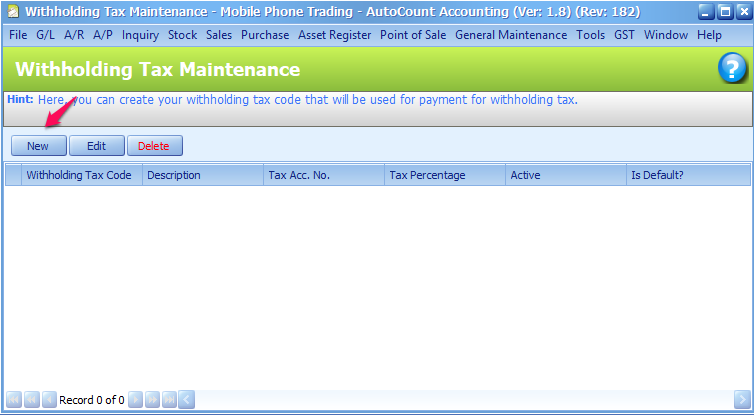
Click on New to maintain new Withholding Tax.
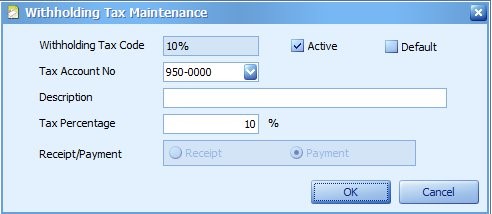
Fill in the necessary detail and click on OK
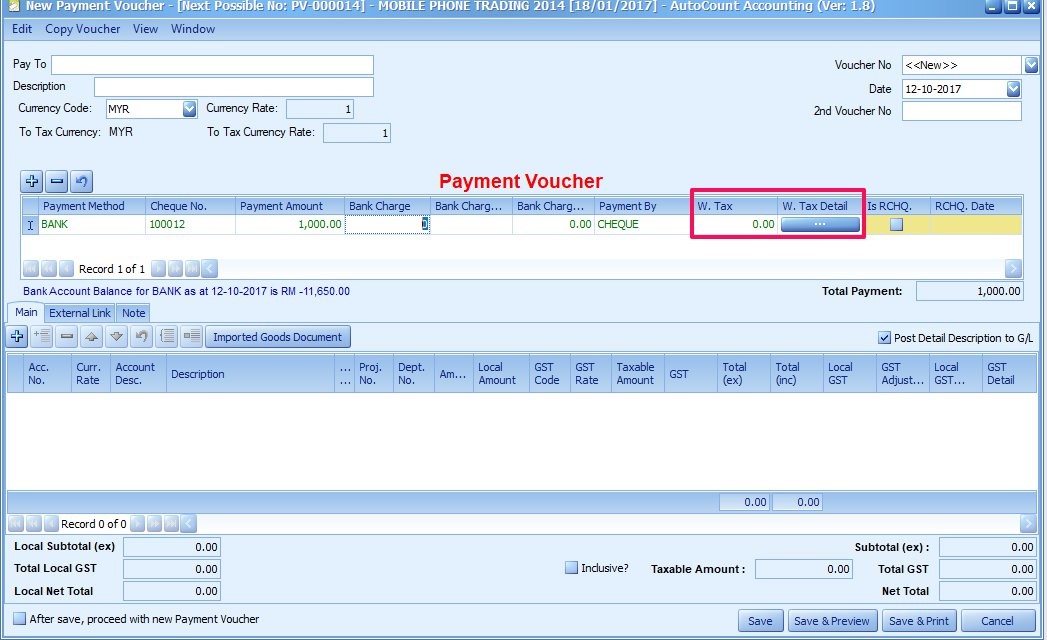
In Payment Voucher, click on W. Tax Detail
Select the Withholding Tax Code for the payment.
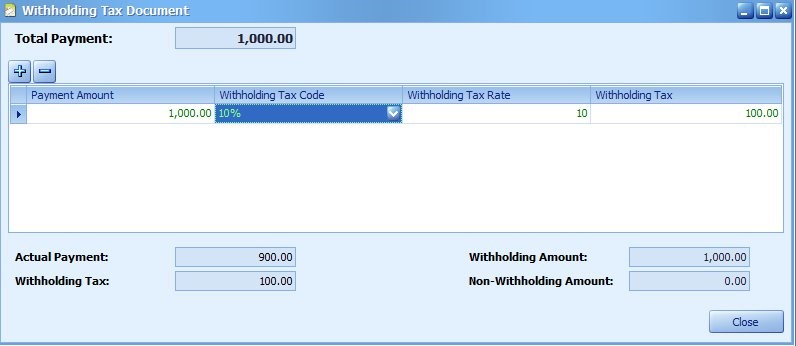
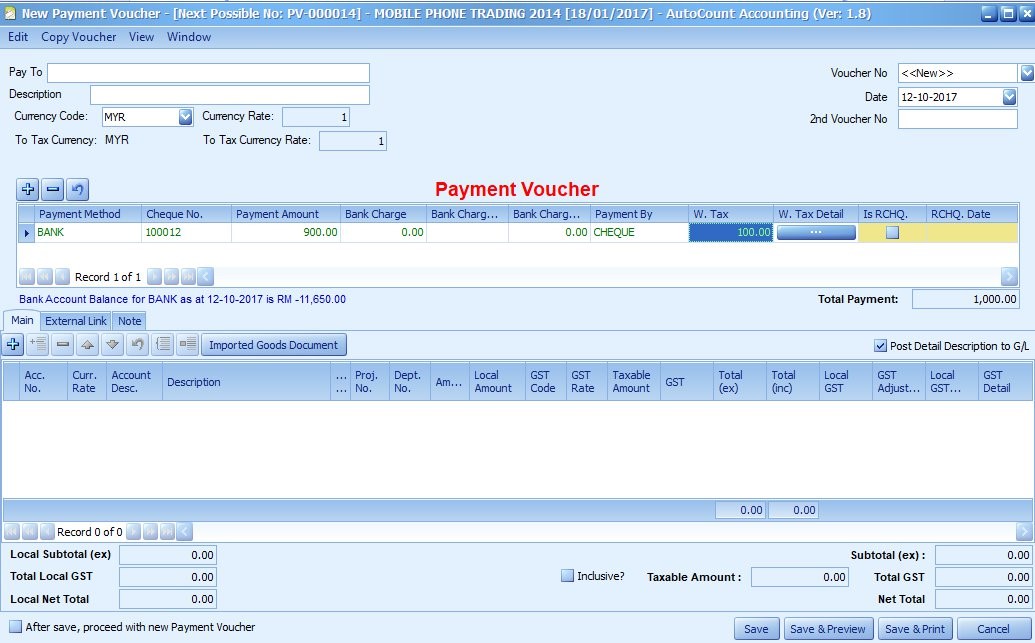
Withholding Tax amount will be calculated based on the tax code selected.
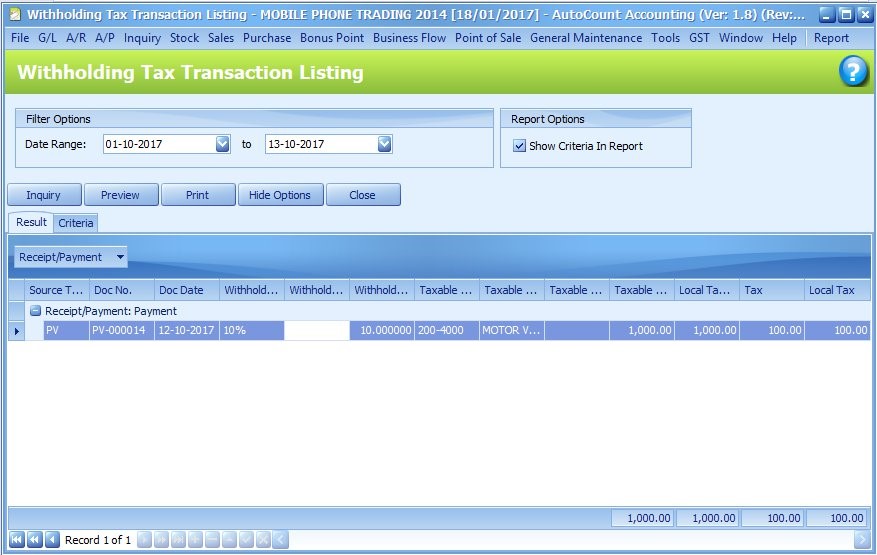
You may view the transaction listing under Withholding Tax Transaction Listing report.
Note
To know more about Withholding Tax, please refer to official portal of Inland Revenue Board of Malaysia http://www.hasil.gov.my/bt_goindex.php?bt_kump=2&bt_skum=6&bt_posi=1&bt_unit=5&bt_sequ=1&bt_lgv=2
Source: AutoCount Wiki · By: Soh Wee 171013, KM 171017, P171020
中文内容
问题
什么是预扣税(withholding tax),以及在 AutoCount 中如何设置预扣税?
版本
1.8 / 1.9 / 2.0
解答
预扣税是指付款方(payer)在支付非居民(payee)所得时扣留的金额,随后该税款将缴纳给马来西亚内陆税收局(Inland Revenue Board of Malaysia)。
您可以前往 Tools(工具) > options(选项) > general(一般) > withholding tax(预扣税);勾选 Enable Withholding Tax(启用预扣税)复选框。
预扣税代码(Withholding Tax Code)分为两种类型:收款类型(Receipt type)和付款类型(Payment type)。维护好预扣税的税务代码后,在创建付款(Payments)或收款(Receipts)时,您将在明细部分看到 'withholding tax' 和 'withholding tax details' 栏位。要打开 Withholding Tax Document(预扣税单据)窗口,您可以:
- 在 Withholding Tax 栏位中双击该数值,或
- 点击 Withholding Tax Detail 栏位下的省略号按钮(此栏位可以从 Column Chooser 栏位选择器中拖出)。
点击 New(新建)以维护新的预扣税(Withholding Tax)。
填写必要的明细,然后点击 OK(确定)
在 Payment Voucher(付款凭证)中,点击 W. Tax Detail
为付款选择 Withholding Tax Code(预扣税代码)。
预扣税金额将根据所选的税务代码计算。
您可以在 Withholding Tax Transaction Listing(预扣税交易明细表)报表下查看交易明细。
注意
要了解更多有关预扣税的信息,请参考马来西亚内陆税收局(Inland Revenue Board of Malaysia)官方门户 http://www.hasil.gov.my/bt_goindex.php?bt_kump=2&bt_skum=6&bt_posi=1&bt_unit=5&bt_sequ=1&bt_lgv=2
来源:AutoCount 官方 Wiki · 作者:Soh Wee 171013, KM 171017, P171020
MyTax Info
More practical e-Invoice updates