AutoCount: Withholding Tax Maintenance
AutoCount:预扣税维护(Withholding Tax Maintenance)

English article
Withholding Tax
Withholding tax is an amount withheld by the third party making payment (payer) on income earned by a non-resident (payee) and paid to the Inland Revenue Board of Malaysia.
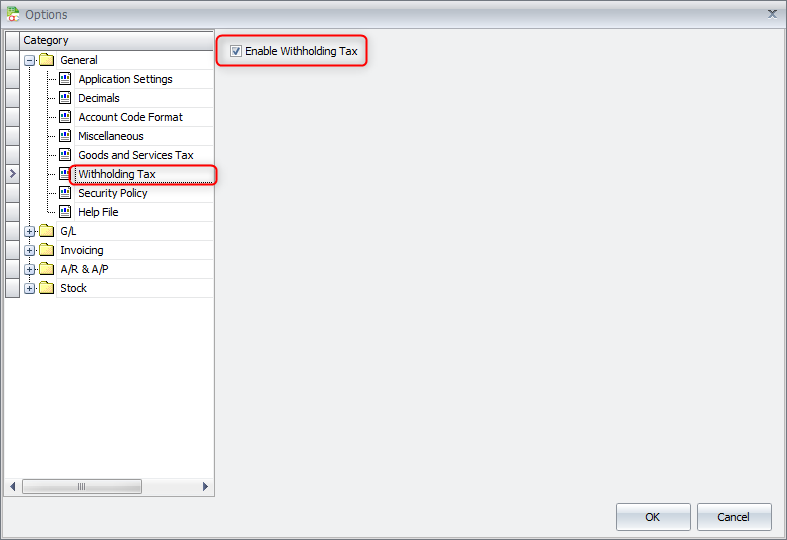
Go to Tools > Options > General > Withholding Tax > Enable Withholding Tax
Withholding Tax Maintenance
Go to General Maintenance > Withholding Tax Maintenance
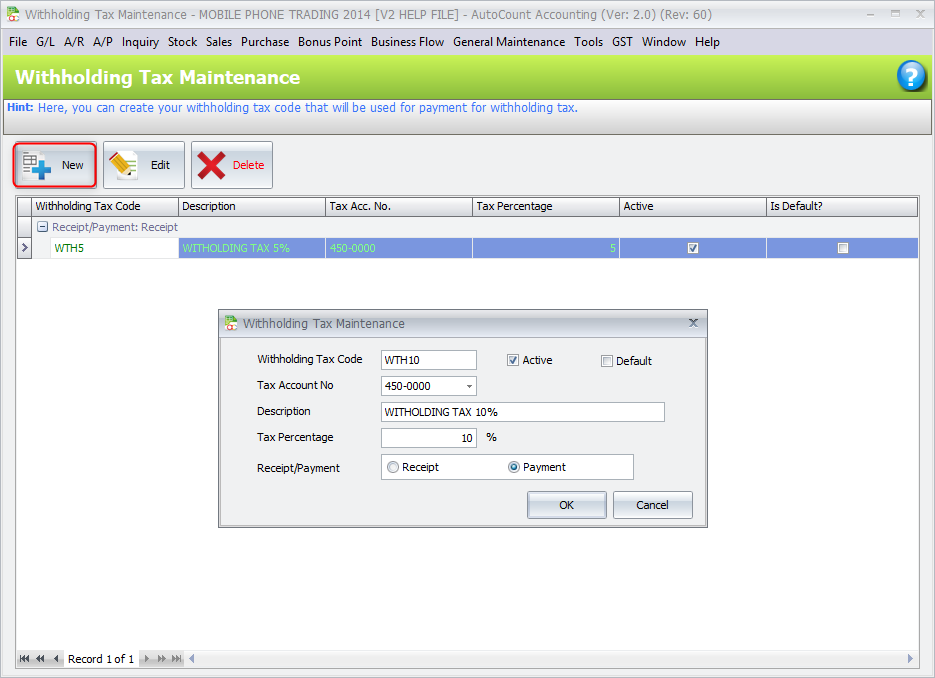
- Withholding Tax Code
- Name of the tax code, must be unique among all tax codes.
- Tax Account No
- Select a tax account no. for posting purpose.
- Description
- Define the description of the tax code.
- Tax Percentage
- Define the percentage of the tax code.
- Receipt/Payment
- The Withholding Tax Codes are divided into two types which are the Receipt type and the Payment type.
Go to GL and create a new Payment Voucher.
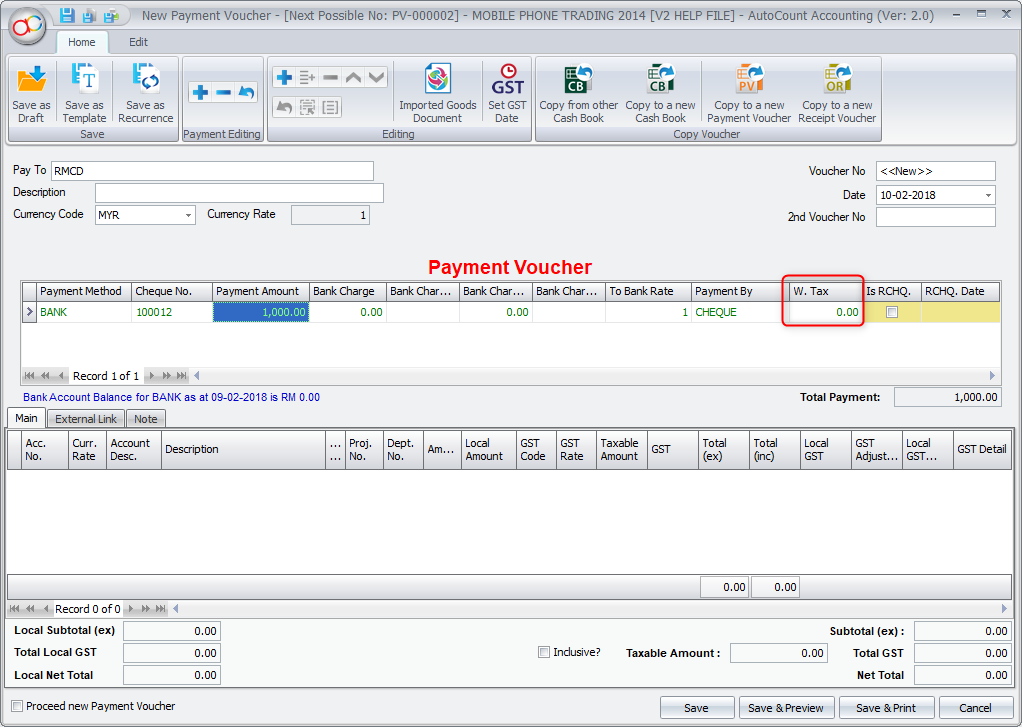
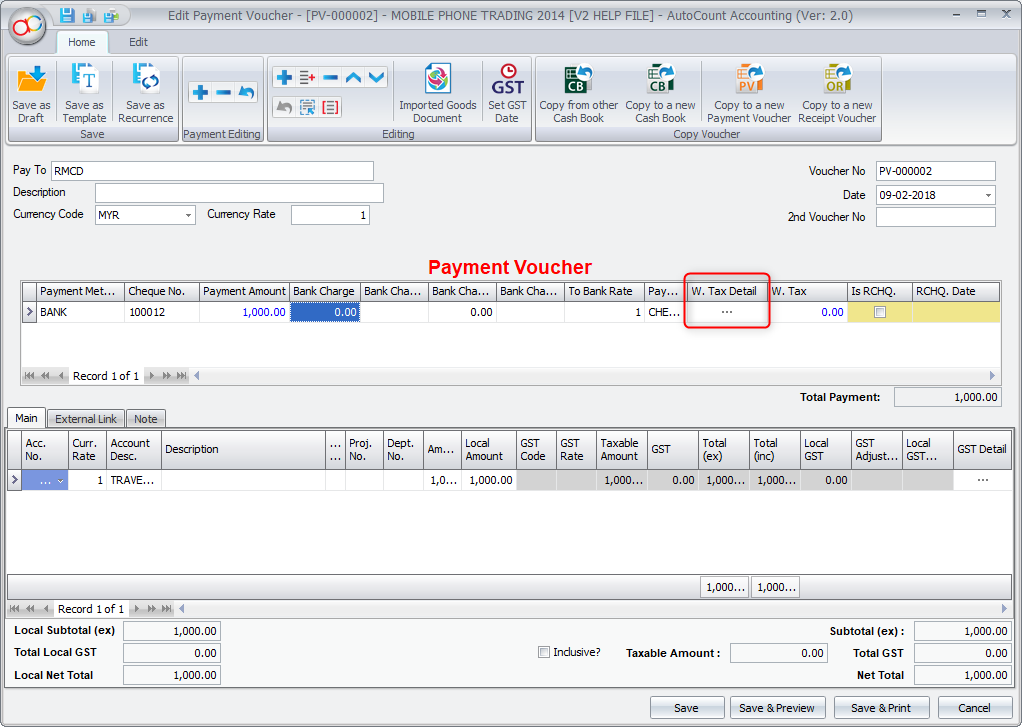
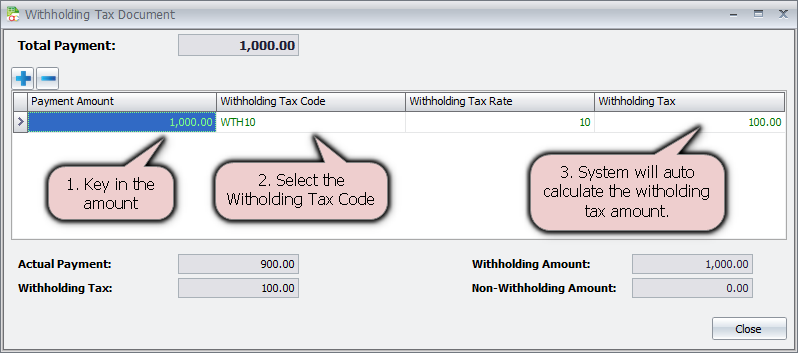
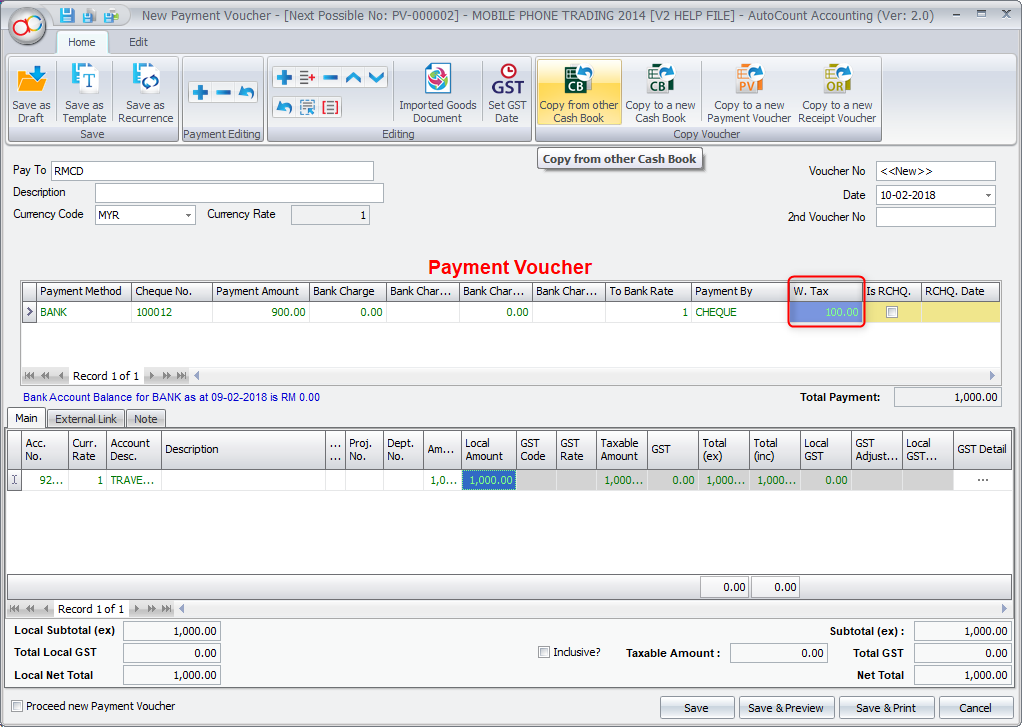
User can either double click on the value in the Withholding Tax column of the detail portion of the document or pull out the Withholding Tax Detail column from the Column Chooser to have access to a button that opens the Withholding Tax Document window. In this window the user can enter the detail of the Withholding Tax for the particular detail.
中文内容
预扣税(Withholding Tax)
预扣税是指付款的第三方(付款方 payer)在支付非居民(收款方 payee)所得时扣留的金额,并缴纳给马来西亚内陆税收局(Inland Revenue Board of Malaysia)。
前往 Tools(工具) > Options(选项) > General(一般) > Withholding Tax(预扣税) > Enable Withholding Tax(启用预扣税)
预扣税维护(Withholding Tax Maintenance)
前往 General Maintenance(通用维护) > Withholding Tax Maintenance(预扣税维护)
- Withholding Tax Code(预扣税代码)
- 税务代码的名称,必须在所有税务代码中唯一。
- Tax Account No(税务科目号码)
- 选择用于过账的税务科目号码。
- Description(说明)
- 定义该税务代码的说明。
- Tax Percentage(税率)
- 定义该税务代码的百分比。
- Receipt/Payment(收款/付款)
- 预扣税代码分为两种类型,即收款类型(Receipt type)和付款类型(Payment type)。
前往 GL(总账)并创建新的 Payment Voucher(付款凭证)。
用户可以在单据明细部分的 Withholding Tax 栏位中双击该数值,或从 Column Chooser(栏位选择器)中拖出 Withholding Tax Detail 栏位,以使用可打开 Withholding Tax Document 窗口的按钮。在此窗口中,用户可以输入该明细的预扣税(Withholding Tax)明细。
MyTax Info
More practical e-Invoice updates